Your whole day, finally in one place

Plan campus life
without the chaos.

Bring classes, assignments, personal plans and reminders into one calm workspace that follows you everywhere.

Download CampusFlow
Download on the App StoreGet it on Google Play
Assignment dueResearch methods · Friday
Synced ✓Phone · tablet · computer
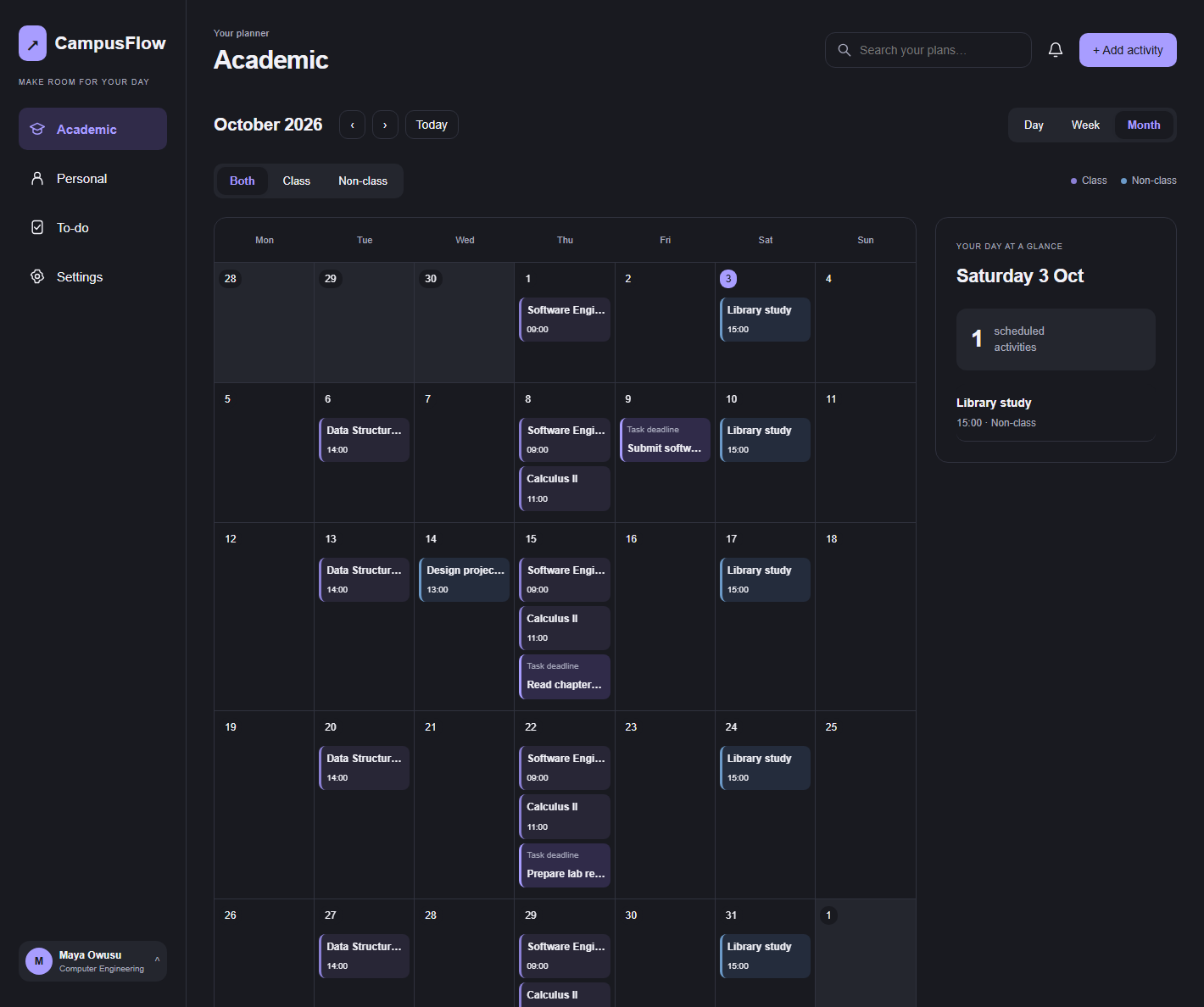
CampusFlow weekly calendar showing a clear student schedule
Designed around the rhythm of student life
CLASSESASSIGNMENTSPERSONAL PLANSREMINDERSEVERY DEVICE
One calm workspace

Everything important, in the right place.

CampusFlow connects your academic schedule and personal life without turning either one into another complicated system to manage.

See the week before it happens

Classes, study sessions and deadlines share one clear calendar, with day, week and month views.

October 5–9
DayWeekMonth
MON
Economics
09:00
TUE
Study group
11:00
WED
Assignment
14:00
THU
Statistics
10:00
FRI
Library
13:00

Turn deadlines into doable steps

Add assignments, break them into subtasks and see dated work directly on your calendar.

Finish lab report
3 of 5 steps
Tomorrow
Read chapter eight
Economics
Friday

Make room for life outside class

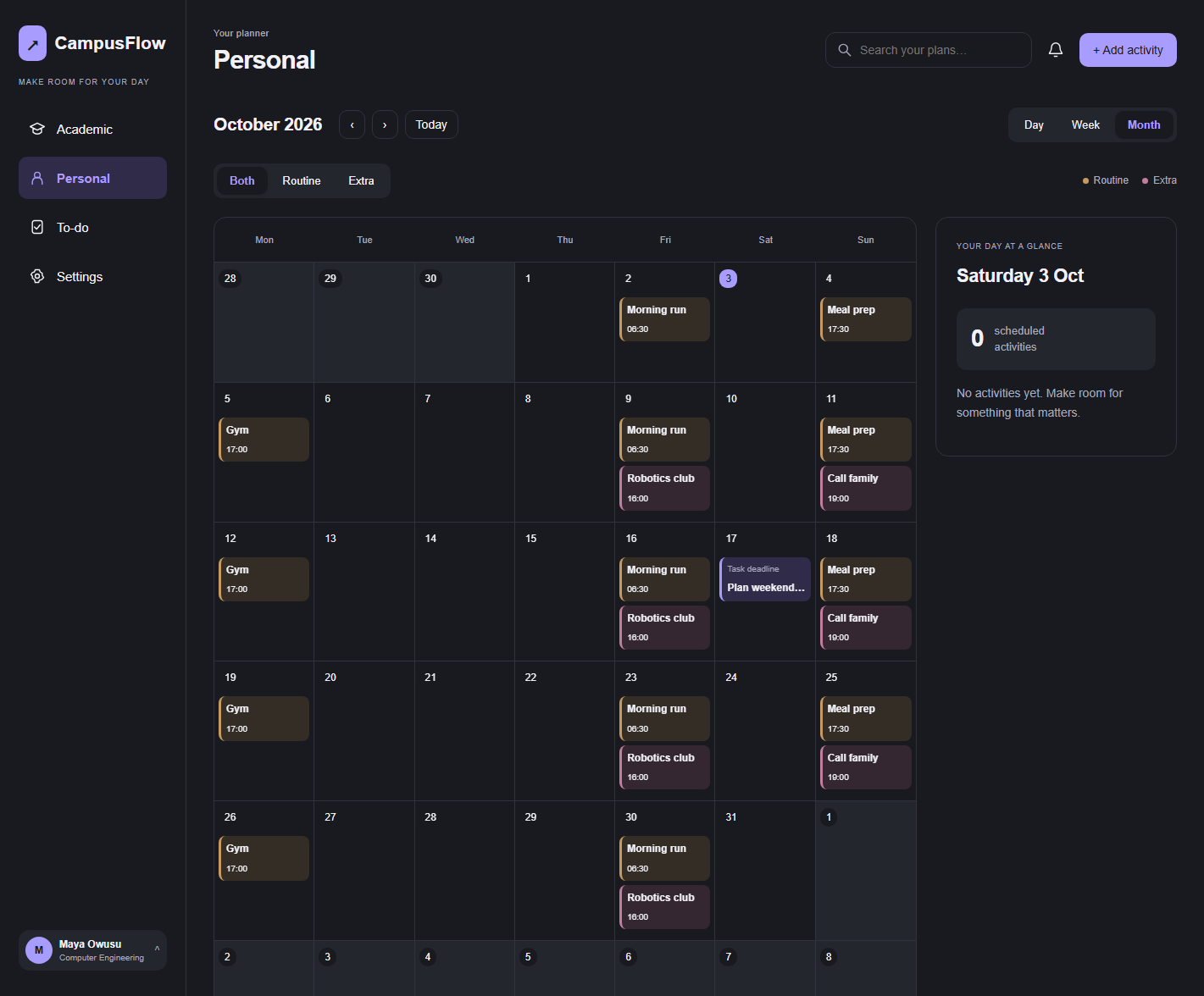
Keep routines, appointments and personal goals alongside your academic plans, with separate filters whenever you need focus.

CampusFlow Personal calendar showing routines and plans outside class

Pick up on any screen

Your latest schedule follows your account across computer, tablet and phone—so the plan you make at your desk is waiting when you leave.

One account · always current
CampusFlow on a computer
CampusFlow Personal view on a tablet
CampusFlow on a phone
Download CampusFlow
Download on the App StoreGet it on Google Play

From “I should remember” to a plan you can trust.

Add something once. CampusFlow places it where you need it, keeps repeating activities consistent, and brings due work into your daily view.

1

Add the activity

Choose a class, non-class activity, routine or personal plan.

2

Set the rhythm

Schedule it once or repeat it daily, on weekdays, weekly or monthly.

3

Stay on top of it

Link tasks, set reminders and check the same plan from any device.

Made for real student days

A planner that understands changing priorities.

Use CampusFlow for the degree you are earning and the life you are building around it.

◫

The packed timetable

Keep lectures, labs and recurring classes visible without rebuilding the week by hand.

✓

The assignment pile

Turn every deadline into smaller steps and see what needs attention today.

◎

The whole person

Plan workouts, work shifts and downtime without losing sight of academic priorities.

“Your calendar should clear your head, not become another thing you have to manage.”
The idea behind CampusFlow
Questions

Good to know.

Can I use CampusFlow without an account?

A CampusFlow account keeps your planner secure and makes your latest plans available across your devices.

Do assignments appear on the calendar?

Yes. Any task with a deadline appears on the calendar, while remaining available in your task list.

Can activities repeat?

Yes. Activities can repeat daily, on weekdays, weekly or monthly. You can edit one occurrence, future occurrences or the whole series.

Can I separate academic and personal plans?

Yes. Dedicated Academic and Personal views keep each area focused, while filters help you narrow the calendar further.


Make room for the day you actually want.

Start with today. Add what matters, see what is coming, and let CampusFlow keep the pieces together.

Create your free account